
Have you ever finished a page and realized you have no idea what you just read? Your eyes moved across every line, but your mind was somewhere else. Annotating, writing notes and marks directly on or beside a text, fixes that problem. It turns reading into a conversation with the author and leaves a trail of thinking you can use later for discussions, tests, and essays.
This article covers Topic 4.1: Annotating a Text in Unit 4, Reading Strategies. The topic asks you to use a consistent annotation system to mark key ideas, questions, and connections, and to use annotations to support analysis.
By the end, you should be able to:
- Explain the purpose of annotation.
- Use a consistent set of symbols and margin notes.
- Annotate differently for literary and informational texts.
- Use annotations to answer questions and write about a text.
Why Annotate?
Annotation keeps you actively engaged. Instead of passively absorbing words, you are constantly asking: What is important here? What does this mean? How does this connect? Research on learning consistently shows that active strategies, such as generating questions and summarizing, help readers understand and remember more than rereading alone.
A Simple Annotation System
Choose a small set of symbols and use them consistently.
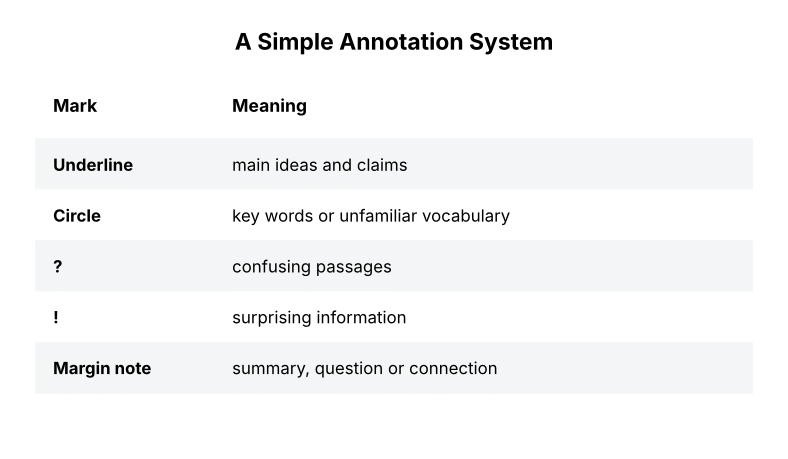
| Mark | Meaning |
|---|---|
| Underline | Key ideas, claims, or important sentences |
| Circle | Unfamiliar words or key terms |
| Box | Names, dates, or transition words that signal structure |
| ? | Confusing parts or questions |
| ! | Surprising or important information |
| * (star) | Possible evidence for an essay or the central idea |
| Arrow | Connections between ideas |
Symbols alone are not enough. Add short margin notes that explain your thinking: “shift in tone,” “main claim,” “contradicts paragraph 2,” “foreshadowing?”
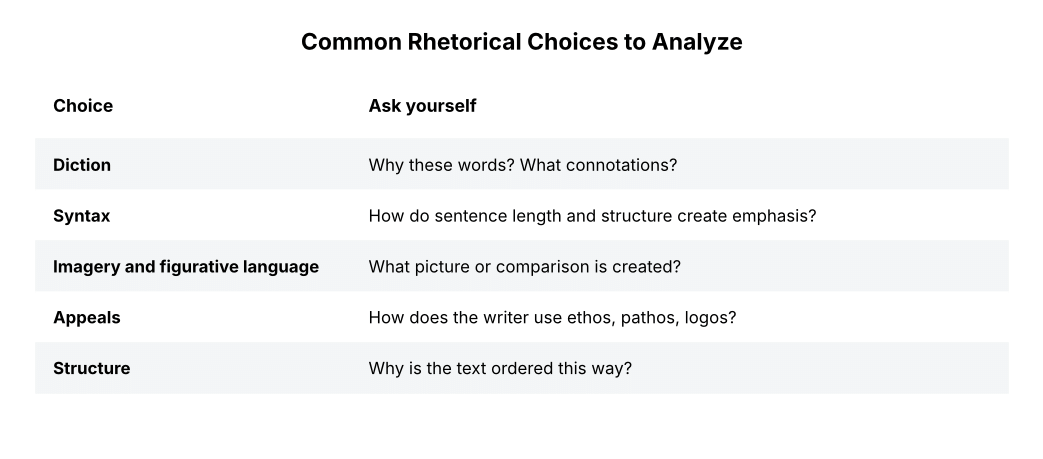
What to Annotate in Literary Texts
- Character traits, motives, and changes.
- Conflict and key plot events.
- Setting details and mood.
- Figurative language, symbols, and repeated images.
- Shifts in tone or point of view.
- Possible themes.
What to Annotate in Informational Texts
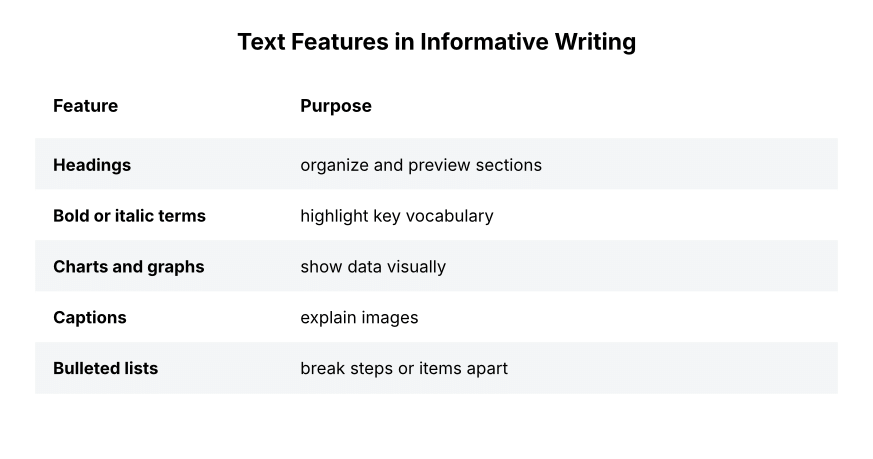
- The central idea and the author’s claim.
- Topic sentences of each paragraph.
- Evidence, data, and examples.
- Transition words that signal structure, such as however, as a result, and for example.
- Counterclaims and the author’s responses.
- Unfamiliar vocabulary.
Why does this matter? Literary and informational texts reward different kinds of attention. Knowing what to look for before you start reading makes your annotations purposeful instead of random.
Worked Example
Here is how a student might annotate a short informational paragraph:
Coral reefs cover less than one percent of the ocean floor, yet they support roughly a quarter of all marine species. However, rising ocean temperatures cause corals to expel the algae that feed them, a process called bleaching. Without the algae, corals can starve and die.
- Underline: “support roughly a quarter of all marine species.” Margin: “why reefs matter.”
- Box: “However.” Margin: “shift: problem.”
- Circle: “bleaching.” Margin: “defined: corals lose algae.”
- Star: the last sentence. Margin: “effect of warming, possible evidence.”
- Summary note at bottom: “Reefs are vital, but warming causes bleaching that can kill them.”
Annotating With a Purpose
Your annotations should match your reading goal. If a teacher asks you to analyze a character, focus your marks on that character’s actions, words, and changes. If you are preparing for a debate, mark claims, evidence, and weaknesses in the argument. Before you start, write your purpose at the top of the page in a few words, such as “track tone” or “find the author’s evidence.” That small step keeps your annotations focused and useful.
Avoid Over-Annotating
Highlighting an entire page is the same as highlighting nothing. A good rule: underline no more than about one sentence per paragraph, and make sure every mark has a reason. If you cannot explain why you marked something, erase it or add a note.
Annotating Without Writing on the Text
If you cannot write in a book, use sticky notes, a reading journal, or a two-column chart with quotations on the left and your thoughts on the right. Digital texts often allow highlighting and comments. On standardized tests, you can usually mark the test booklet or use a digital highlighter.
Why does this matter? Annotations save time when you answer questions or write essays. Instead of rereading the whole text, you can go straight to your stars and margin notes to find evidence.
Test-Taking Strategies
Mnemonic Devices and Memory Shortcuts
“Mark it, then make a note.” Remember the three Q’s: what is Quotable, what is Questionable, and what is Quick to forget but important?
Cross-Topic Connections
- Annotation supports Topic 1.1: Close Reading for Key Ideas and Details.
- Marking claims helps with Topic 1.2: Finding the Central Idea.
- Starred lines become evidence for Topic 1.6: Using Textual Evidence to Support Claims.
- Circled words lead to Topic 2.1: Using Context Clues.
Common Question Formats
- Annotate a passage for a specific purpose.
- Identify which details are most important to mark.
- Use annotations to answer a central idea question.
- Write a margin summary of a paragraph.
Frequent Student Mistakes
- Highlighting too much.
- Using symbols without margin notes.
- Annotating only the first half of a text.
Test-Day Shortcuts
Before reading a test passage, skim the questions and mark the line numbers they mention. Then annotate those areas with extra care.
Time Management Tips
On English unit tests and standardized reading tests such as the SAT and ACT, keep annotations quick: a few underlines and two-word notes per paragraph, adding about a minute to your reading time.