
Maximize your score with these resources:
At 3:12 a.m., a streaming account records 47 failed logins in two minutes from a laptop the owner has never used. Then, on attempt 48, the login succeeds. The password was the owner’s dog’s name followed by the year she graduated and an exclamation point. An attacker did not need to be a genius, just patient and well informed. Topic 1.2 shows how password attacks work, how to spot them in login records, and how to make accounts far harder to break into.
This article covers Topic 1.2: Suspicious Website Logins in Unit 1, Introduction to Security. The topic asks you to identify common signs of a password attack, explain how adversaries exploit weak authentication, and explain how to make authentication stronger.
By the end, you should be able to:
- Define an online password attack and list three warning signs in login activity.
- Describe common password patterns that make guessing easier.
- Explain how adversaries build targeted password dictionaries.
- Recommend strong passwords, password managers or passphrases, and multifactor authentication.
What an Online Password Attack Looks Like
In an online password attack, adversaries try to log in to a device or service using common passwords, common password patterns, or stolen passwords.
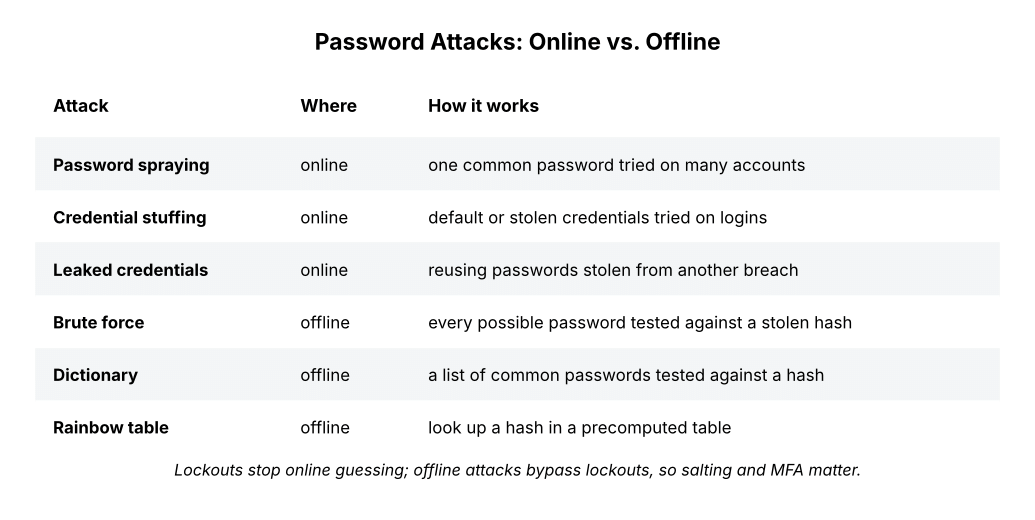
The CED lists three signs to look for:
| Sign | What it looks like in a log |
|---|---|
| Many failed attempts in a short time | Dozens of “login failed” entries within minutes |
| Logins at unusual times | Activity at 3 a.m. for a user who always logs in after school |
| Logins from unknown devices | A device the account has never used before |
Worked Example: Reading a Login Log
| Time | Device | Result |
|---|---|---|
| Mon 4:05 p.m. | Maya-Phone | Success |
| Tue 3:12 a.m. | Unknown-PC | Failed |
| Tue 3:12 a.m. | Unknown-PC | Failed |
| Tue 3:13 a.m. | Unknown-PC | Failed (44 more in 2 minutes) |
| Tue 3:14 a.m. | Unknown-PC | Success |
Read the log in order. Monday’s single login fits the owner’s normal habits: her own phone, after school. Tuesday’s entries break every pattern at once.
All three signs appear: a burst of failures, an unusual hour, and an unknown device. The final success means the account is likely compromised. The owner should change the password, sign out other sessions, and turn on MFA.
How Adversaries Exploit Weak Passwords
People tend to build passwords from predictable patterns:
- One or two words, plus a two-digit number (often a year), plus a special character at the end, such as Sunshine24!
- Names of family members or pets.
- Personally significant dates.
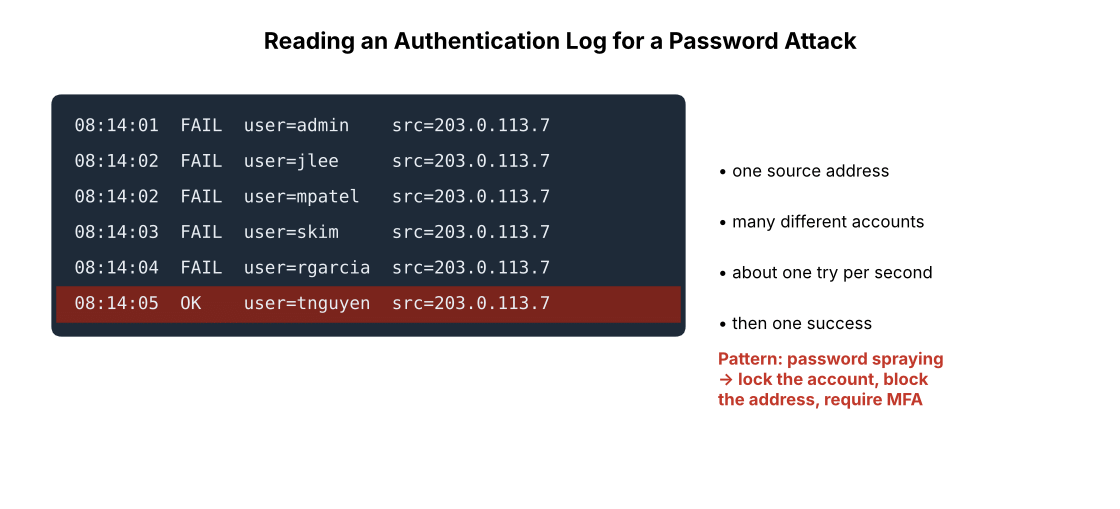
Adversaries take advantage by gathering personal details about a target, such as birthdays, anniversaries, and pets’ and family members’ names, often from social media. They build a dictionary of likely passwords from those details and use an automated tool to submit them one after another. This is why Topic 1.1’s warning about leaking personal details matters so much.
Making Authentication Stronger
| Defense | How it helps |
|---|---|
| Long, random, unique passwords | Too many possibilities to guess, and one stolen password cannot unlock other accounts |
| Password manager | Generates and stores strong passwords so you do not have to remember them |
| Long, unique passphrases | Several unrelated words strung together: long and memorable |
| Avoid personal meaning | No names, dates, or meaningful numbers that a dictionary attack could include |
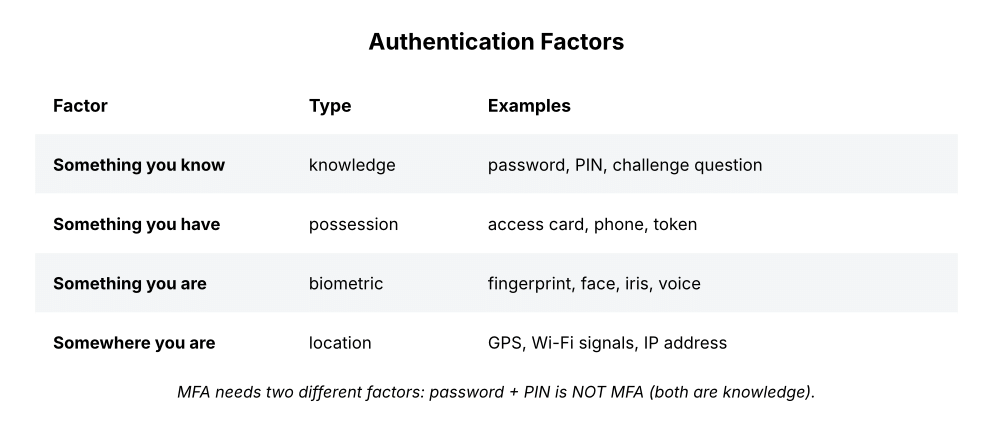
| Multifactor authentication (MFA) | Requires extra proof of identity, such as a one-time code, in addition to the password |
Why length matters: A password of 8 random lowercase letters has \(26^{8}\approx 2\times 10^{11}\) possibilities. Doubling the length to 16 gives \(26^{16}\approx 4\times 10^{22}\), about 200 billion times more. Each added character multiplies the work for an attacker.
Why does this matter? MFA means a stolen or guessed password alone is not enough to log in. That is also why adversaries in Topic 1.1 try to trick people into sharing their one-time codes.
Test-Taking Strategies
Mnemonic Devices and Memory Shortcuts
Signs of attack: “Many, Midnight, Mystery device.” Strong passwords are “Long, Random, Unique”, and MFA adds a second lock.
Cross-Topic Connections
- Topic 1.1: Understanding Social Engineering explains how adversaries collect the personal details used in password dictionaries.
- AP® Computer Science Principles Topic 5.6: Safe Computing covers multifactor authentication and strong passwords.
- AP® Computer Science Principles Topic 3.17: Algorithmic Efficiency explains why exponentially growing possibilities defeat brute-force guessing.
- AP® Computer Science Principles Topic 2.1: Binary Numbers shows how each added digit multiplies the number of possible values.
Common Question Formats
- A login log asking whether it shows signs of a password attack.
- A list of passwords asking which is strongest.
- A scenario asking which measure would most reduce the risk of account takeover.
Frequent Student Mistakes
- Thinking a special character at the end makes a password strong. It is a common pattern.
- Reusing one strong password across many sites.
- Assuming a single failed login is an attack. Look for many failures in a short time.
Test-Day Shortcuts
When comparing passwords, prefer length and randomness over clever substitutions like “@” for “a.” Attackers’ tools already try those swaps.
Time Management Tips
The AP Cybersecurity Exam on May 5, 2027, is fully digital in Bluebook. The single free-response question, Device Security Analysis, gives you 50 minutes and may include log files. Practice scanning a log for time, device, and result columns first.
Check for Understanding
Think you’ve got it? Complete the quiz below to make sure. Download your results at the end.