
Maximize your score with these resources:
Walk into a modern office building and you pass through a series of quiet defenses: bollards that stop a car from driving through the lobby, a turnstile that lets one badge through at a time, a locked server cabinet, and a sticky note in the break room reminding everyone to lock their screens. Some of these are hardware and some are habits. Together they make it much harder for an adversary to turn a physical vulnerability into a breach. Topic 2.3 is about choosing and prioritizing those protections.
This article covers Topic 2.3: Protecting Physical Spaces in Unit 2, Securing Spaces. The topic asks you to identify managerial controls related to physical security and determine mitigation strategies for risks from physical vulnerabilities.
By the end, you should be able to:
- Describe the goals of security awareness training.
- List the common requirements of a workstation security policy.
- Match physical and technical controls to the vulnerabilities they address.
- Prioritize mitigations by risk severity and cost.
Managerial Controls: Policies and Training
Recall from Topic 2.1 that managerial controls are rules, policies, and procedures. Two matter most for physical security.
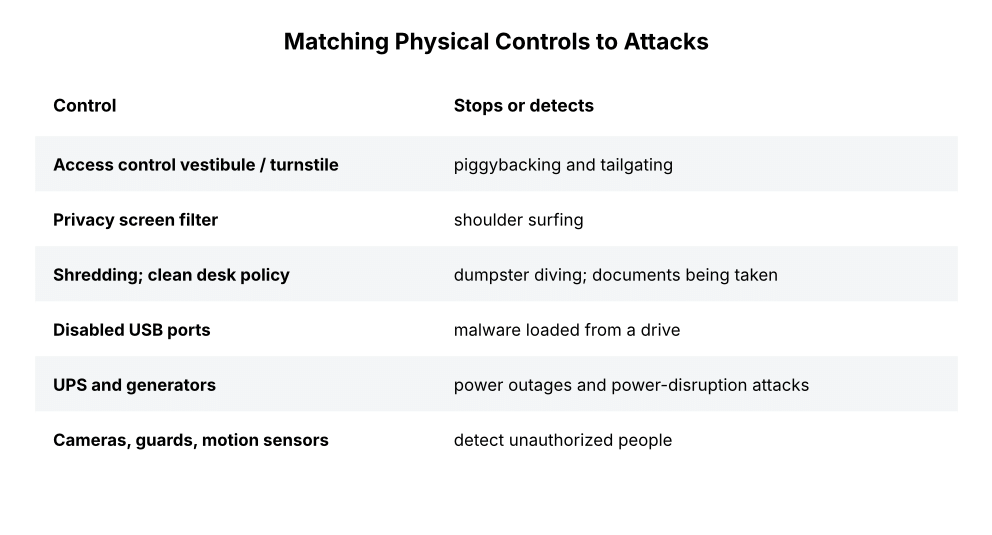
1. Security awareness training teaches employees to:
- Detect social engineering attempts such as phishing.
- Not badge other people into restricted areas, which blocks piggybacking.
- Prevent device theft.
2. A workstation security policy outlines how to protect the physical workplace, sometimes with tiers based on the data each workstation handles. Common requirements:
| Requirement | What it prevents |
|---|---|
| Lock devices before leaving them unattended | Unauthorized access to an open session |
| Clear sensitive documents from desks (a clean desk policy) | Information being read or taken |
| Use a privacy screen filter or physical barrier | Shoulder surfing |
| Connect devices to surge protectors or an uninterruptible power supply (UPS) | Damage or downtime from power problems |
Choosing Mitigations
To pick a control, a defender thinks like an adversary: How could this vulnerability be used to attack, and how can I prevent, detect, or correct that attack?
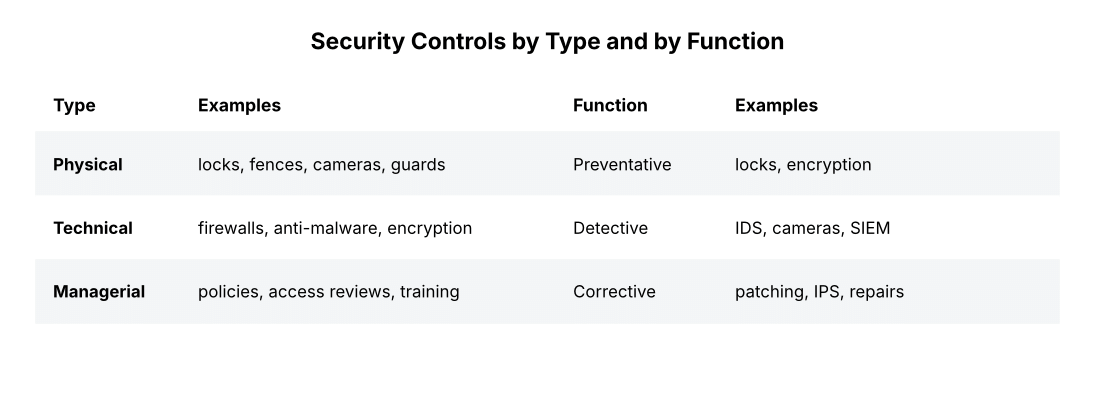
| Control | What it does | Attack or risk it addresses |
|---|---|---|
| Fencing, gates, bollards | Deter attempts to physically reach the building | Unauthorized entry; vehicle attacks |
| Locks on doors, server cabinets, computers | Prevent access or theft | Theft; tampering with servers |
| Card readers | Record which badge opened which door and when; deny unauthorized badges | Unauthorized entry; supports investigations |
| Access control vestibules and turnstiles | Stop an authorized person from letting someone else in, on purpose or by accident | Piggybacking and tailgating |
| Disabled USB ports | Block external drives | Malware loaded from a drive |
| UPS and generators | Provide backup power to a device or a whole building | Power outages and power-disruption attacks |
An access control vestibule is a small space between two doors where only one door can open at a time, so each person must badge in individually.
Prioritizing: Severity and Cost
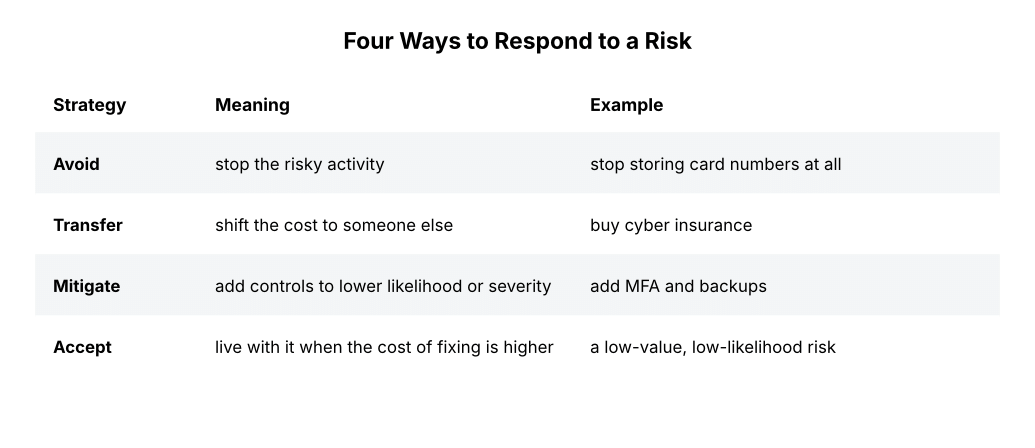
Organizations rarely have money to fix everything at once. They prioritize mitigations based on the severity of the risk and the cost of the fix. A cheap fix for a high risk comes first. An expensive fix for a low risk may wait, or the risk may be accepted.
Worked Example: Fixing the Clinic
Building on the dental clinic risks from Topic 2.2:
| Risk | Rating | Mitigation | Cost | Priority |
|---|---|---|---|---|
| Records server in a closet with a broken lock | High | Replace lock; add a locked server cabinet | Low | 1st |
| Printed schedules in recycling | Moderate to high | Locked shred bin plus a clean desk policy | Low | 2nd |
| Front desk computer with open USB ports facing the waiting room | Moderate | Disable USB ports; add a privacy screen filter | Low | 3rd |
| Short power outages | Moderate | UPS for the server | Moderate | 4th |
| Break-room music tablet | Low | Accept the risk | None | Last |
Why does this matter? This mix of physical, technical, and managerial controls is defense in depth in action. Notice that the best plan pairs cheap habits, like a clean desk policy, with targeted hardware, like a server cabinet.
Test-Taking Strategies
Mnemonic Devices and Memory Shortcuts
Workstation policy: “Lock, Clear, Screen, Surge.” Choosing controls: “Think like the attacker, then Prevent, Detect, Correct.”
Cross-Topic Connections
- Topic 2.2: Physical Vulnerabilities and Attacks identifies the risks these controls address.
- Topic 2.1: Cyber Foundations defines managerial, physical, and technical controls and cost-effectiveness.
- Topic 1.1: Understanding Social Engineering covers the attacks awareness training targets.
- AP® Computer Science Principles Topic 4.2: Fault Tolerance relates to backup power and redundancy.
Common Question Formats
- A vulnerability asking which control would best mitigate it.
- A policy requirement asking which attack it prevents.
- Several risks and costs asking which mitigation to do first.
Frequent Student Mistakes
- Choosing a card reader to stop tailgating. Card readers log entry, but vestibules and turnstiles stop followers.
- Forgetting that training and policies are controls too.
- Recommending the most expensive control by default instead of the most cost-effective.
Test-Day Shortcuts
Match the attack to its natural counter: tailgating to turnstiles or vestibules, USB malware to disabled ports, shoulder surfing to privacy screens, power loss to a UPS.
Time Management Tips
The AP Cybersecurity Exam on May 5, 2027, is fully digital in Bluebook. Mitigate Risk is one of three skill categories, each worth 25 to 40% of the multiple-choice section, so control-matching questions are worth drilling.
Check for Understanding
Think you’ve got it? Complete the quiz below to make sure. Download your results at the end.