
Maximize your score with these resources:
Some security teams plant a file named something like “Employee_Salaries_2027.xlsx” on a server. It looks irresistible to an intruder, but every number in it is fake, and nobody with a legitimate job ever opens it. The moment someone does, an alarm goes off. That trap, called a honeypot, is one of several ways defenders catch attacks on data and applications. Topic 5.6, the final topic of the course, covers how to detect those attacks: watching access logs, verifying file hashes, choosing detection tools, and spotting attack fingerprints in application logs.
This article covers Topic 5.6: Detecting Attacks on Data and Applications in Unit 5, Securing Applications and Data. The topic asks you to explain how to detect attacks on data, choose and evaluate detective controls, verify a file’s hash, and identify indicators of application attacks in log files.
By the end, you should be able to:
- Explain accounting, honeypots, and hash-based integrity checks.
- Choose detective controls based on cost, sensitivity, and data classification.
- Compare real-time and after-the-fact detection, including their false negatives.
- Recognize log indicators of SQL injection, XSS, buffer overflow, and directory traversal.
Three Ways to Detect Attacks on Data
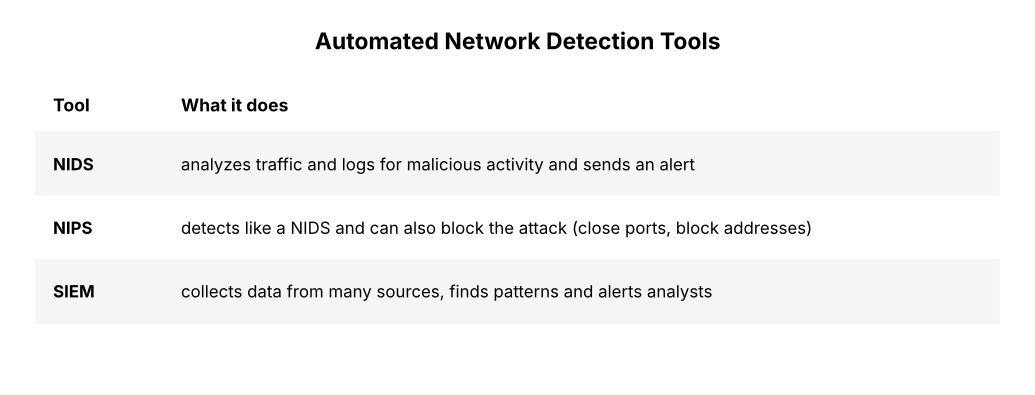
| Method | How it works |
|---|---|
| Accounting (recording and monitoring user activity) | Logs show when data are accessed and by whom. Suspicious signs: files that are rarely accessed, access outside a user’s normal time, location, or device, and attempts to delete or copy sensitive files |
| Honeypot | A fake file that looks valuable (credit cards, PII, passwords). There is no legitimate reason to open it, so any access is an indicator of malicious activity |
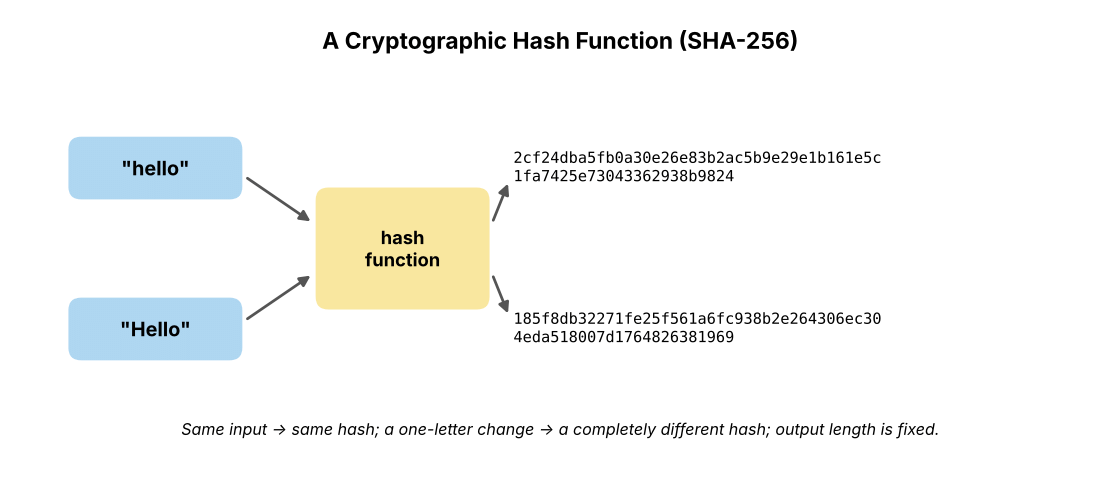
| Cryptographic hashes | A file’s digest changes if the file changes, revealing unexpected alterations |
Choosing Detective Controls
- Cost: Honeypots and hash checks are inexpensive. Third-party data loss prevention (DLP) services monitor data access, use, and transmission across an organization, giving strong detection at a higher cost.
- Sensitivity or criticality: More sensitive or critical data and applications are bigger targets and need closer monitoring.
- Classification: Private, educational, healthcare, and financial data often carry legal or regulatory monitoring requirements.
Evaluating Detection Methods
| Factor | Key points |
|---|---|
| Speed | Log analysis needs automation to be fast enough; honeypots detect almost instantly |
| Timing | DLP tools, honeypots, and real-time log analysis alert during an attack, allowing a prompt response. Retrospective log analysis and hash checks find attacks after they happen |
| False negatives | Hashes only detect altered data, so an adversary who views or steals data without changing it goes unnoticed. Honeypots miss adversaries who never touch them |
Verifying a File’s Hash
Hash functions are repeatable: the same input always gives the same output. Record a file’s hash, hash it again later, and compare. If the hashes differ, the file was altered in between.
| Environment | Command for a SHA-256 hash of testfile |
|---|---|
| Windows PowerShell | Get-FileHash testfile -Algorithm SHA256 |
| BASH | sha256sum testfile |
| zsh (common on Apple computers) | shasum -a 256 testfile |
Reading Application Logs
| Attack | What to look for in logs |
|---|---|
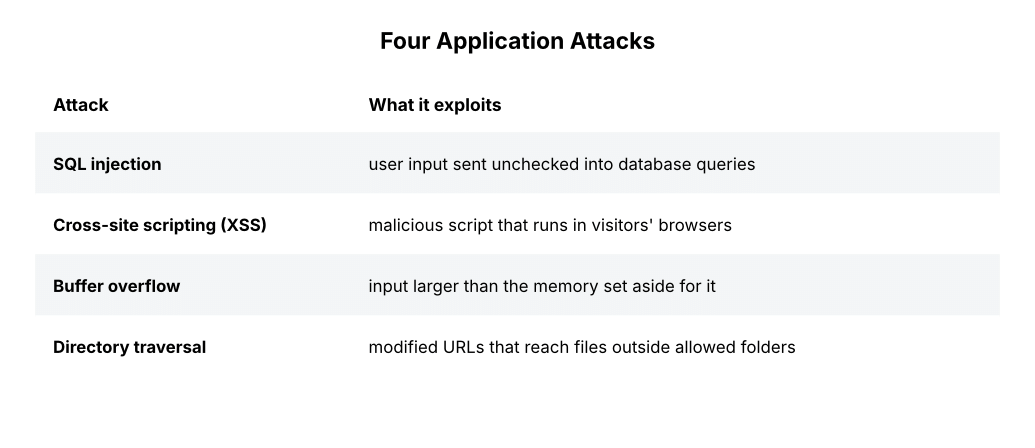
| SQL injection | User input containing quote characters, always-true Boolean conditions (the word OR followed by an equation such as one equals one), a double dash (which starts an SQL comment), or capitalized SQL control words |
| XSS | Suspicious tags in user input, especially opening and closing script tags |
| Buffer overflow | Unusually long URLs, cookies, query strings, or total request length |
| Directory traversal | HTTP GET requests whose paths repeat the dot-dot-slash sequence (two periods and a slash) |
Worked Example: Investigating a Customer Portal
A utility company’s customer portal triggers several findings in one night:
- A honeypot file labeled “Customer_Card_Numbers” was opened at 1:12 a.m. by a technician account that never works nights. Indicator: malicious access, detected in real time.
- The search field log shows input containing a quote character followed by an always-true OR condition. Indicator: attempted SQL injection.
- A web server request includes a path with several dot-dot-slash segments. Indicator: attempted directory traversal.
- A nightly hash check shows the billing configuration file’s SHA-256 digest changed with no approved update. Indicator: integrity compromise, found after the fact.
Response: Lock the technician account, block the source IP, restore the configuration file from a known-good backup, and add input sanitization to the search field (Topic 5.5).
Why does this matter? No single tool catches everything. Honeypots catch snooping, hashes catch tampering, and logs reveal the methods. Layering them is defense in depth for data.
Test-Taking Strategies
Mnemonic Devices and Memory Shortcuts
Log fingerprints: “Quotes and OR = SQL; script tags = XSS; too long = overflow; dot-dot-slash = traversal.” Detection timing: “Honeypot now, hash later.”
Cross-Topic Connections
- Topic 5.1: Application and Data Vulnerabilities and Attacks explains each attack these logs reveal.
- Topic 5.5: Protecting Applications covers input sanitization, the main prevention.
- Topic 4.2: Authentication introduces cryptographic hash functions and their properties.
- Topic 4.4: Detecting Attacks on Devices covers file-based and behavior-based indicators of compromise.
Common Question Formats
- A log line asking which application attack it indicates.
- Two hash values asking whether a file was altered.
- A scenario asking which detective control fits the budget and data type.
Frequent Student Mistakes
- Thinking hashes detect data theft. They only detect changes.
- Assuming a honeypot catches every intruder.
- Confusing real-time detection with retrospective log analysis.
Test-Day Shortcuts
In an application log, scan only the user input column first. Attack fingerprints almost always appear there, not in timestamps or status codes.
Time Management Tips
The AP Cybersecurity Exam on May 5, 2027, is fully digital in Bluebook. The 50-minute Device Security Analysis question asks you to cite evidence from sources such as log files. Quote the exact suspicious entry, name the attack, and explain your reasoning.
Check for Understanding
Think you’ve got it? Complete the quiz below to make sure. Download your results at the end.