
Maximize your score with these resources:
A search box on a shopping website looks harmless. You type “running shoes,” and the site shows results. But behind that box, the application takes your words and builds a request to its database. If the developers never checked what users type, an adversary might type something that is not a search at all, and the database may obey. Many of the most damaging data breaches start with exactly this kind of flaw in how an application handles input or access. Topic 5.1 opens the final unit with the vulnerabilities in applications and data and the attacks that exploit them.
This article covers Topic 5.1: Application and Data Vulnerabilities and Attacks in Unit 5, Securing Applications and Data. The topic asks you to explain how adversaries exploit application and file vulnerabilities, explain how application attacks work, and assess and document risks to applications and data.
By the end, you should be able to:
- Explain the risks of unencrypted files, unnecessary admin rights, and weak access controls.
- Define data validation and explain why its absence enables injection attacks.
- Describe SQL injection, cross-site scripting, buffer overflow, and directory traversal.
- Rate data risks as high, moderate, or low using the CIA triad.
File and Access Vulnerabilities
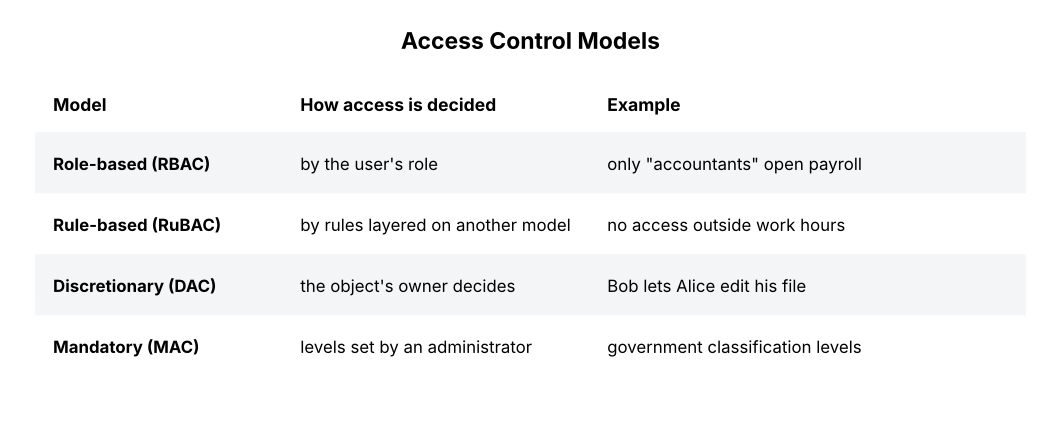
- Unencrypted files: An adversary with access to the device or drive can read them.
- Too many administrators: Administrative users can change system settings and reach almost any file. If regular users are given admin privileges and one account is compromised, the adversary gets elevated privileges.
- Weak access controls: When many users can view or edit files, adversaries can steal or destroy files or disrupt applications.
Why Applications Are Vulnerable
Applications are programs, or executable data. Some run locally, while web applications run on servers that users reach over a network. Many accept text in open-ended input fields.
Data validation means checking that user input matches what is expected before processing it, such as accepting only numbers in a “quantity” field, and rejecting anything outside the expected parameters. Applications that skip validation are vulnerable to injection-type attacks, where adversaries insert unexpected character strings into input fields to change how the program behaves.
Four Application Attacks
| Attack | What it exploits | Possible result |
|---|---|---|
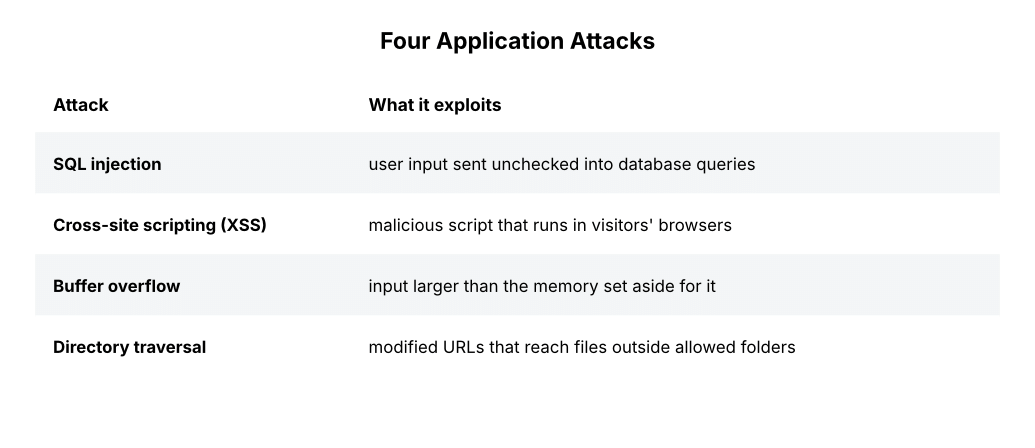
| SQL injection | An application that sends unvalidated user input into database queries written in SQL (structured query language) | Confidentiality breach (returns more data than it should) or integrity breach (modifies or deletes data) |
| Cross-site scripting (XSS) | Malicious code injected into a website that runs in visitors’ browsers, where it can reach stored usernames, passwords, and keys | Reflected (Type I): code hidden in a link the user clicks. Stored (Type II): code saved in a comment, forum post, or visitor log that affects every visitor |
| Buffer overflow | Input larger than the fixed-size memory area (the buffer) set aside for it, spilling into adjacent memory | A crash, or code running outside the program’s security policy, letting the adversary access, modify, or delete files |
| Directory traversal | Modified URLs or HTTP GET requests that step up and out of the web folder into other parts of the server’s file system | Access to sensitive files such as the list of authorized usernames |
XSS background: Websites are written in HTML and often use JavaScript for dynamic content. Because JavaScript runs in the visitor’s browser, injected code attacks the people using the site, not just the site itself.
Directory traversal background: In a file path, “..” means “go up one folder.” The CED’s example shows an adversary chaining several of these to climb from a website’s image folder to the system’s password file.
Rating Data Risks
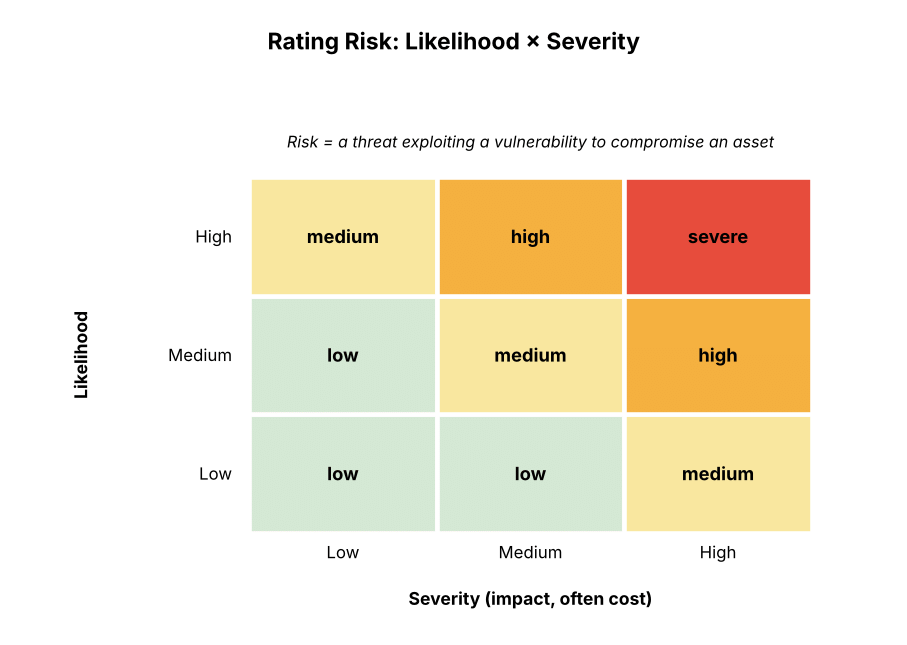
Data risks map to the CIA triad: confidentiality (unauthorized access), integrity (data altered from its intended state), and availability (data destroyed or encrypted so others cannot use it).
| Rating | Description | CED example |
|---|---|---|
| High | Highly sensitive data, often governed by law, exposed to a likely exploit | Technical specs for a new Air Force jet engine stored on an unencrypted drive |
| Moderate | Sensitive data with encryption or access controls that are not strong enough | Customers’ personal information in a spreadsheet encrypted with a small key |
| Low | Less sensitive information with short keys or loose access controls | A CEO’s internal memos on an unencrypted share drive with no access controls |
Worked Example: A School Store Web App
A student-built online school store has three issues:
- The “quantity” box accepts any text and passes it straight to the database. Vulnerability: no data validation. Attack risk: SQL injection.
- The product reviews section displays whatever users post, including code. Attack risk: stored XSS against every shopper.
- All five student developers have administrator accounts on the server. Risk: one compromised account gives full control.
Rating: The store saves shoppers’ names, emails, and addresses, which is personal information. With likely exploits, issues 1 and 2 are high risk.
Why does this matter? Most application attacks share one root cause: trusting input or access that should have been checked. The controls in Topics 5.2 through 5.5 all address that root cause.
Test-Taking Strategies
Mnemonic Devices and Memory Shortcuts
Match attack to target: “SQL hits the database, XSS hits the browser, overflow hits memory, traversal hits the file system.”
Cross-Topic Connections
- Topic 2.1: Cyber Foundations defines the CIA triad and privilege escalation.
- Topic 4.1: Device Vulnerabilities and Attacks covers malware and unpatched software.
- Topic 3.1: Network Vulnerabilities and Attacks introduces credential harvesting.
- AP® Computer Science Principles Topic 1.4: Identifying and Correcting Errors covers testing programs with unexpected input.
Common Question Formats
- An attack description asking which application attack it is.
- A vulnerability asking which CIA principle is at risk.
- A data scenario asking for a high, moderate, or low risk rating.
Frequent Student Mistakes
- Confusing reflected XSS (in a link) with stored XSS (saved on the site).
- Thinking SQL injection only steals data. It can also change or delete it.
- Giving every user admin rights for convenience.
Test-Day Shortcuts
If a URL contains repeated “..” segments, think directory traversal. If input is far longer than expected, think buffer overflow. If a page runs a visitor’s posted code, think XSS.
Time Management Tips
The AP Cybersecurity Exam on May 5, 2027, is fully digital in Bluebook, with 60 multiple-choice questions in 80 minutes. Application attack questions are usually short; identify the target of the attack, and the answer follows quickly.
Check for Understanding
Think you’ve got it? Complete the quiz below to make sure. Download your results at the end.