
Maximize your score with these resources:
The word “computer” used to mean a desktop tower. Today it also means the phone in your pocket, the smart thermostat on the wall, the insulin pump a patient wears, and the controller running a pump at a water treatment plant. Every one of those devices runs software, and software has flaws. In 2017, the WannaCry ransomware spread across the world in a single day by exploiting computers that had not installed a security update released weeks earlier. Topic 4.1 opens the devices unit with the kinds of devices, the malware that targets them, and the vulnerabilities that let it in.
This article covers Topic 4.1: Device Vulnerabilities and Attacks in Unit 4, Securing Devices. The topic asks you to identify types of computing devices and malware, explain how adversaries exploit common device vulnerabilities, and assess and document device risks.
By the end, you should be able to:
- Classify servers, personal, handheld, and embedded computers, including IoT devices.
- Identify nine types of malware plus fileless malware.
- Explain seven common device vulnerabilities and what they allow.
- Rate device risks as high, moderate, or low.
Types of Computing Devices
| Device type | Description | Examples |
|---|---|---|
| Server | Provides services to other computers; usually more processing power and storage in enterprises | DNS, DHCP, or file transfer servers |
| Personal computer | Designed for one person’s work or recreation | Desktops, laptops, notebooks |
| Handheld | Smaller, battery powered | Tablets, smartphones, smart watches |
| Embedded | Part of a machine; specialized instructions; slower, cheaper, minimal storage | Cars, trains, power substations, IV pumps, pacemakers, washing machines, thermostats |
Everyday devices with embedded computers are often called Internet of Things (IoT) devices.
Types of Malware
Malware is malicious software that can damage or destroy a device or network, or give an adversary access to it. It is usually one tool in a larger plan.
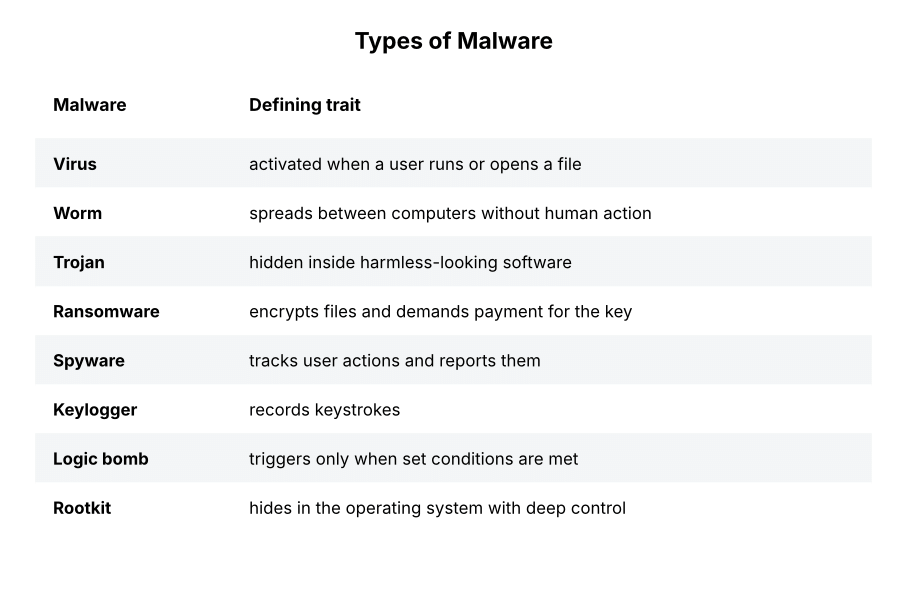
| Malware | Defining trait |
|---|---|
| Virus | Must be activated by a user running or opening a file |
| Worm | Spreads between computers without human interaction |
| Trojan | Hidden inside harmless-looking software; a RAT (remote access trojan) gives remote access |
| Ransomware | Encrypts files and demands payment for a decryption key |
| Spyware | Tracks user actions and reports them to the adversary |
| Keylogger | Software or hardware that records keystrokes, often revealing usernames and passwords |
| Logic bomb | Triggers only when set conditions are met, such as a date or operating system version |
| Rootkit | Gets into the operating system, controls nearly everything, and hides itself |
| Fileless malware | Lives in RAM and uses legitimate programs already on the device, rather than files |
Virus vs. worm is the most tested pair: a virus needs a person to open something, while a worm spreads on its own.
Common Device Vulnerabilities
| Vulnerability | What an adversary can do |
|---|---|
| Unpatched software | Use exploits for known flaws to crash the system, watch user actions, turn on a webcam or microphone, or take full control |
| Weak authentication | Guess the password or use social engineering to get it |
| No BIOS or UEFI password | Boot into a privileged mode, or load their own operating system from an external drive and change user passwords |
| Autorun enabled | Malware on an inserted drive runs automatically |
| Open ports | Connect to the device |
| No firewall or a misconfigured one | Send malicious data that is not filtered |
| No anti-malware software | Install malware more easily |
Rating Device Risks
Device compromises can let an adversary impersonate a user, control a device remotely, encrypt its drive for ransom, or wipe it. Risk depends on how critical the device, its services, or its data are.
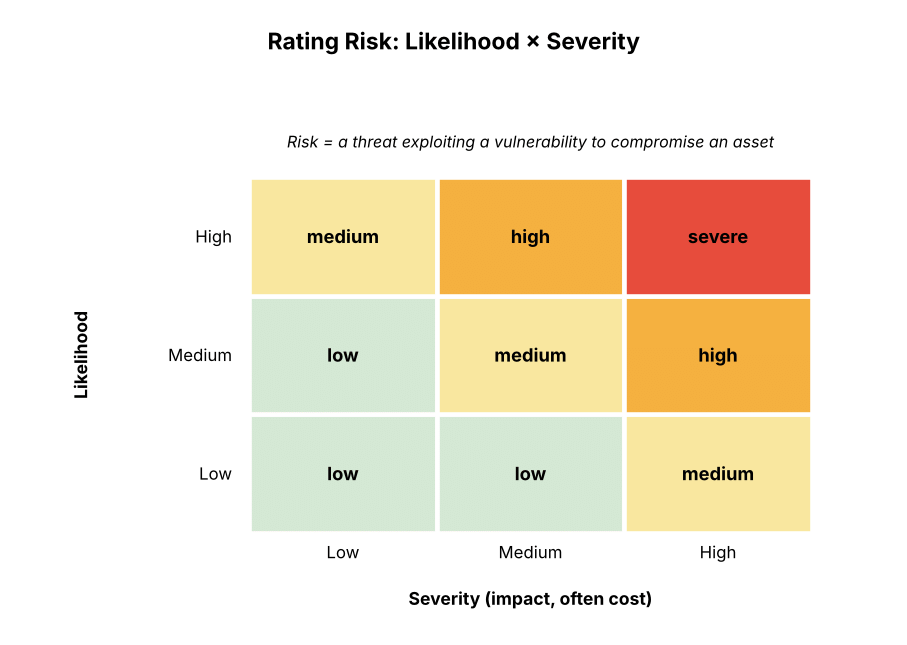
| Rating | Description | CED example |
|---|---|---|
| High | Could compromise sensitive data or critical operations | An email server missing an update that patched a known critical vulnerability |
| Moderate | Weak authentication, or less likely to be exploited | Remotely managed water-plant pumps protected by username and password but no MFA |
| Low | Little impact if exploited | An employee laptop with Telnet port 23 open |
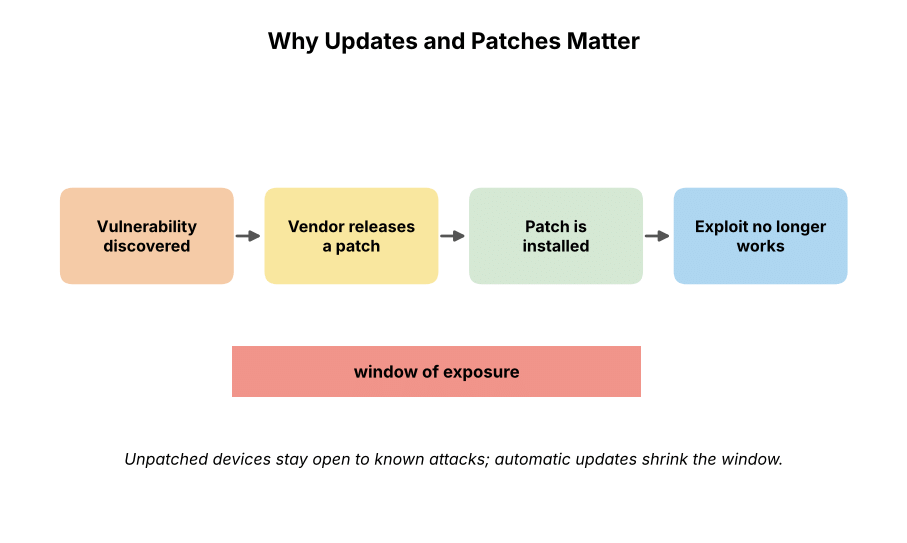
Why does this matter? The WannaCry example shows the pattern: a known vulnerability plus an unpatched device equals high risk. Patching is one of the simplest, most effective defenses, as Topic 4.3 explains.
Test-Taking Strategies
Mnemonic Devices and Memory Shortcuts
“Virus needs a Visit, Worm Wanders alone.” Ransomware Ransoms, Spyware Spies, Rootkits hide at the Root.
Cross-Topic Connections
- Topic 2.1: Cyber Foundations introduces RATs, rootkits, and persistence.
- Topic 2.2: Physical Vulnerabilities and Attacks covers hardware keyloggers and malicious drives.
- Topic 3.4: Protecting Networks: Firewalls explains filtering that devices also need.
- Topic 1.2: Suspicious Website Logins covers weak passwords and MFA.
Common Question Formats
- Malware behavior asking which type it is.
- A device configuration asking which vulnerability is most serious.
- A scenario asking whether the device risk is high, moderate, or low.
Frequent Student Mistakes
- Calling a self-spreading program a virus. If it needs no user action, it is a worm.
- Overlooking embedded and IoT devices as attack targets.
- Rating risk without considering how critical the device is.
Test-Day Shortcuts
Look for the trigger: “opened an attachment” suggests a virus, “spread across the network overnight” suggests a worm, “on a specific date” suggests a logic bomb, and “demands payment” means ransomware.
Time Management Tips
The AP Cybersecurity Exam on May 5, 2027, is fully digital in Bluebook. The Device Security Analysis free-response question focuses on a single device, so device vulnerabilities from this unit are central to that 50-minute question.
Check for Understanding
Think you’ve got it? Complete the quiz below to make sure. Download your results at the end.