
Maximize your score with these resources:
A company can spend a fortune on firewalls and encryption, then lose everything because someone held a door open for a stranger carrying a stack of boxes. Once an adversary is physically in the room with a computer, many digital defenses stop mattering. They can plug in a device, copy files, or simply walk away with the machine. That is why AP Cybersecurity treats physical space as the first layer of defense. Topic 2.2 covers the common physical attacks, how they exploit weaknesses, and how to rate the risks they create.
This article covers Topic 2.2: Physical Vulnerabilities and Attacks in Unit 2, Securing Spaces. The topic asks you to identify common physical attacks, explain how threats exploit physical vulnerabilities, and assess and document risks from physical vulnerabilities.
By the end, you should be able to:
- Identify piggybacking, tailgating, shoulder surfing, dumpster diving, and card cloning.
- Distinguish human threats from natural disasters and name four common compromises.
- Explain how power disruption and physical device access lead to harm.
- Rate physical risks as high, moderate, or low and justify the rating.
Five Common Physical Attacks
Physical attacks often rely on social engineering.
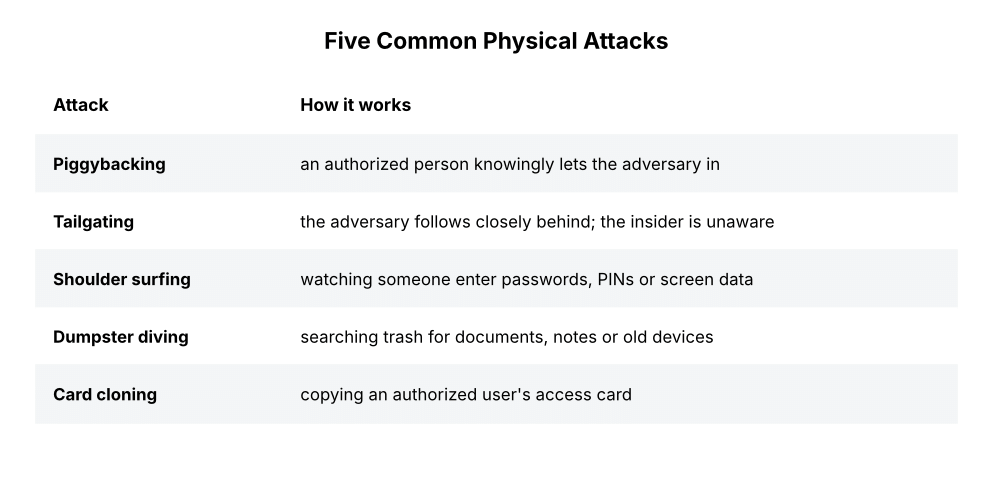
| Attack | How it works | Key detail |
|---|---|---|
| Piggybacking | Manipulating an authorized person into granting access to a restricted area | The insider knowingly lets the adversary in, for example by holding the door for someone carrying boxes, or for a fake “maintenance worker” |
| Tailgating | Following closely behind an authorized person to slip in | The insider is unaware |
| Shoulder surfing | Watching someone access sensitive information, sometimes recording it with a camera | Captures passwords, PINs, or on-screen data |
| Dumpster diving | Searching a target’s physical trash for useful information | Discarded documents, notes, or old devices |
| Card cloning | Copying an authorized user’s access card | The adversary gets everything that user can access |
Piggybacking vs. tailgating is the classic exam distinction. Ask: did the authorized person knowingly let them in? Yes means piggybacking. No means tailgating.
Threats, Vulnerabilities, and What Gets Compromised
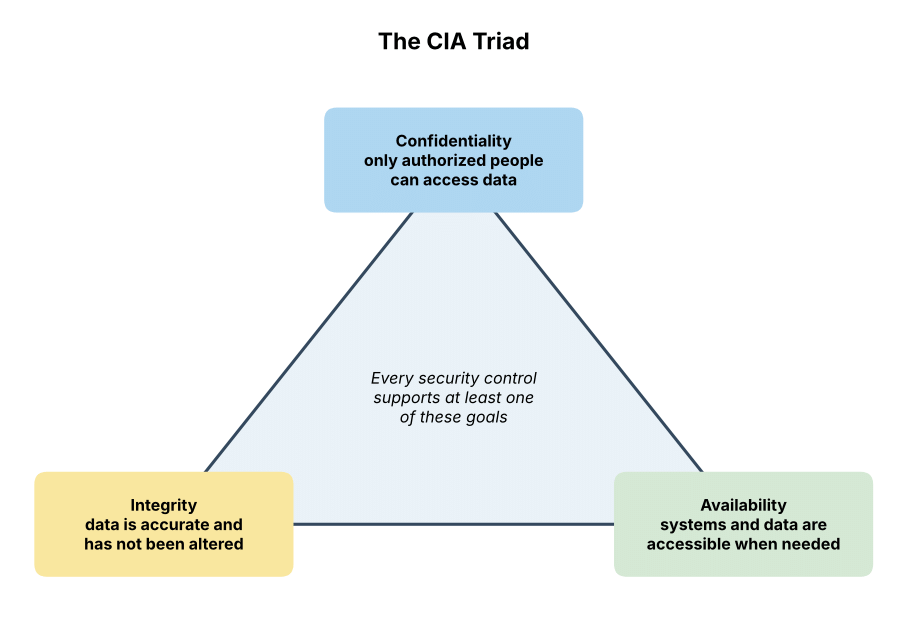
Threats include human adversaries and natural disasters, which can damage or destroy computers and data and disrupt digital services. Vulnerabilities are weaknesses or flaws that could let an asset be compromised. Common compromises:
- Unauthorized access to sensitive data or restricted spaces.
- Disruption of services.
- Theft or destruction of digital or physical resources.
- Unauthorized modification of data.
Two physical paths to harm stand out in the CED:
- Disrupting power: damaging fuses or breakers, cutting wiring, or damaging substations and transformers makes devices and their services unavailable.
- Accessing devices and ports: plugging in a keylogger or an external drive with malware can let an adversary collect data or control the device. Direct access also allows physical destruction.
Why does this matter? The CED states it plainly: physical access lets adversaries bypass many technical controls and layers of security. A password does not help if someone carries the hard drive out the door.
Rating Physical Risks
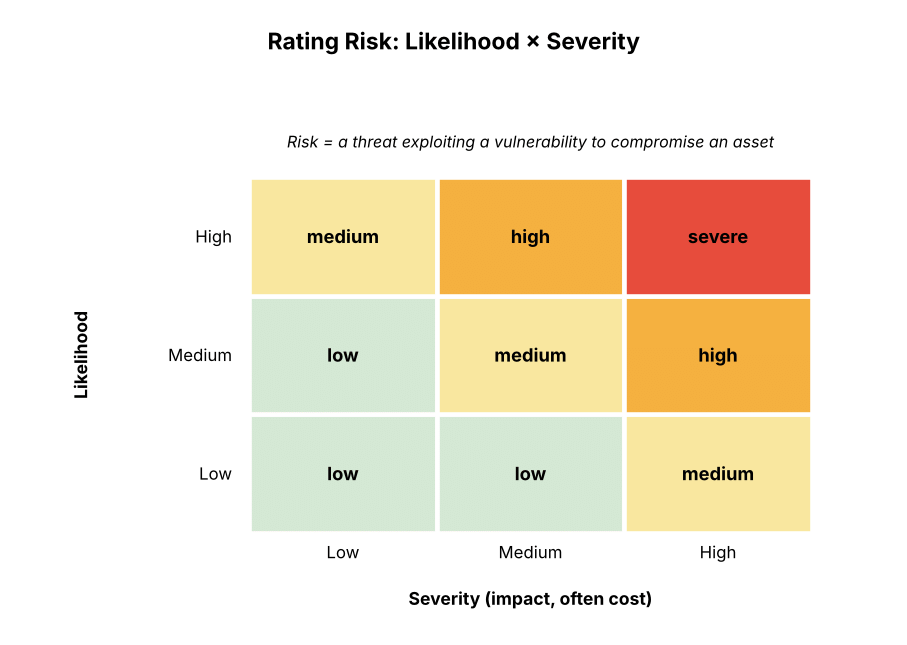
| Rating | When it applies | CED-style example |
|---|---|---|
| High | Sensitive information or systems are exposed without sufficiently restricted access | A server holding customer data sits in an unlocked room off an unmonitored hallway |
| Moderate | A noncritical area is unprotected and could become a foothold to reach other resources | A reception computer on the internal Wi-Fi with exposed USB ports |
| Low | The asset has low value and exploitation is unlikely | Unsecured laptops with no sensitive data, inside a badge-controlled office |
Worked Example: Assessing a Small Clinic
You walk through a dental clinic and note:
- Patient records server in a closet with a broken lock, next to the public restroom. Sensitive data, weak access control: high risk.
- Front desk computer facing the waiting room, connected to the internal network, with open USB ports. A foothold for shoulder surfing or a malicious drive: moderate risk.
- Recycling bin by the back door holding printed appointment schedules with patient names. A dumpster diving target: rated by sensitivity, likely moderate to high.
- Break-room tablet used only for music, no network access to records: low risk.
Your documentation would list each asset, the likely threat, how the vulnerability could be exploited, the likely damage, and the final rating.
Test-Taking Strategies
Mnemonic Devices and Memory Shortcuts
“Piggyback = Permission (tricked); Tailgate = Totally unaware.” The five attacks: “People Take Shortcuts During Crises”: Piggybacking, Tailgating, Shoulder surfing, Dumpster diving, Card cloning.
Cross-Topic Connections
- Topic 2.1: Cyber Foundations defines risk, threats, vulnerabilities, and assets.
- Topic 1.1: Understanding Social Engineering explains the manipulation behind piggybacking.
- Topic 1.3: Best Practices for Public Networks introduces denial of service, which power disruption also causes.
- Topic 1.2: Suspicious Website Logins shows what an adversary can do with credentials captured by shoulder surfing.
Common Question Formats
- A scenario asking which physical attack is described.
- A vulnerability asking whether it is high, moderate, or low risk.
- A question asking what an adversary could do with access to a device’s ports.
Frequent Student Mistakes
- Swapping piggybacking and tailgating.
- Forgetting natural disasters count as threats.
- Rating risk by how easy an attack is while ignoring how valuable the asset is.
Test-Day Shortcuts
For risk ratings, check two things: is the asset sensitive or critical, and is access to it controlled? Sensitive plus uncontrolled is high; low value plus unlikely is low.
Time Management Tips
The AP Cybersecurity Exam on May 5, 2027, is fully digital in Bluebook, with 60 multiple-choice questions in 80 minutes. Physical attack questions are usually quick to classify, so move briskly and save time for log and configuration analysis.
Check for Understanding
Think you’ve got it? Complete the quiz below to make sure. Download your results at the end.