
Maximize your score with these resources:
Firewalls and segmentation reduce the chance of an attack, but they never bring it to zero. At some point, defenders have to ask a different question: if an adversary got in, how would we know? A medium-sized organization’s network can log tens of millions of data points a day. Hidden in that flood might be a burst of strange ARP messages, a spike in broadcast traffic, or a connection to a known malicious address. Topic 3.5 covers the automated tools, AI models, and detection methods that find those signals, and how to read the clues yourself.
This article covers Topic 3.5: Detecting Network Attacks in Unit 3, Securing Networks. The topic asks you to identify automated detection tools, explain how AI enhances detection, choose and evaluate a detection method, and identify indicators of network attacks in log files.
By the end, you should be able to:
- Compare NIDS, NIPS, and SIEM systems.
- Explain AI detection thresholds and the trade-off between missed attacks and false alerts.
- Choose between signature-based, anomaly-based, and hybrid detection.
- Name the indicator that reveals each network attack from Topics 1.3 and 3.1.
Automated Detection Tools
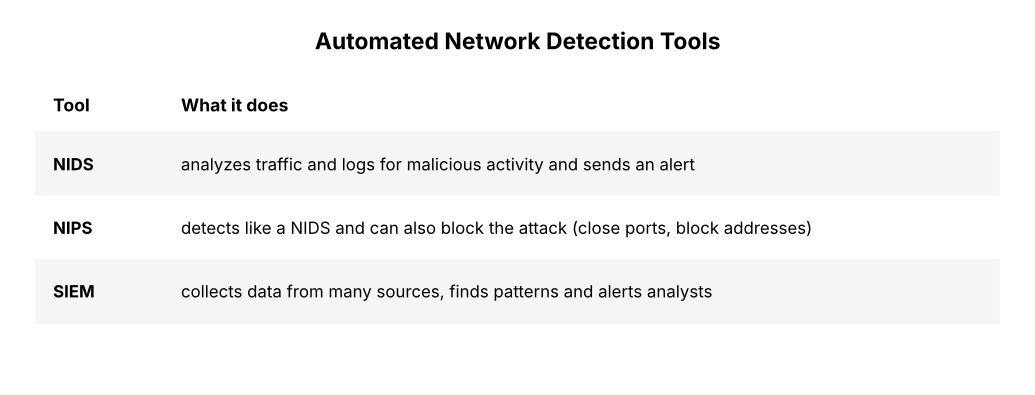
These tools analyze data from switches, routers, servers, firewalls, and user computers, usually collected in log files.
| Tool | What it does |
|---|---|
| NIDS (network intrusion detection system) | Analyzes data for malicious activity and generates an alert |
| NIPS (network intrusion prevention system) | Detects like a NIDS, and can also stop the attack by closing ports, blocking IP or MAC addresses, or rejecting protocols |
| SIEM (security information and event management) | Collects data from many sources (firewalls, NIDS/NIPS, device and application logs), finds patterns, and alerts analysts, who investigate and resolve or escalate |
AI in Threat Detection
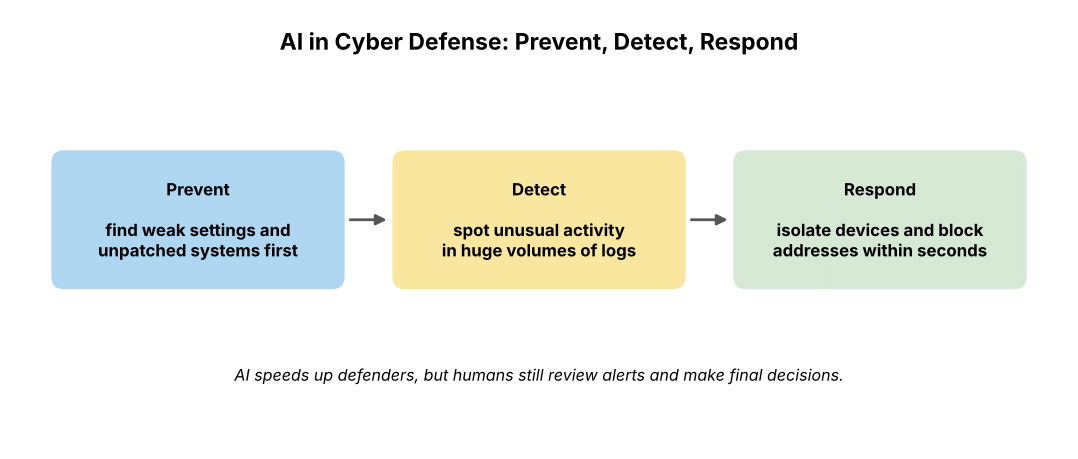
No human team can review millions of daily log entries, so detection teams build AI algorithms that classify patterns as malicious or normal. These models are probabilistic: they report a percentage likelihood that something is malicious. Each organization sets its own alert threshold:
- Threshold too high: real attacks may go undetected.
- Threshold too low: the team is overwhelmed with false alerts.
Choosing a Detection Method
| Signature-based | Anomaly-based | Hybrid | |
|---|---|---|---|
| How it works | Compares data to a database of known indicators of compromise (IoCs), called signatures | Compares data to a baseline recorded on an uncompromised system; alerts when data falls outside a tolerance range | Combines both |
| Best for | High traffic volume | Consistent traffic patterns; likely novel attacks | Highly sensitive or critical networks |
| Speed | Fastest | Slower | Varies |
| Cost | Lowest | Higher (more expensive hardware) | Highest |
| False positives | Almost none | Higher | Higher; more alerts overall |
| False negatives | Easier to bypass; cannot detect new attacks | Harder to bypass | Hardest to bypass |
Impacts of errors: High false positives waste time and cause alert fatigue, where responders start assuming alerts are false before investigating. False negatives let adversaries cause loss, harm, disruption, or destruction undetected.
Reading the Clues: Attack Indicators
| Attack | How to detect it |
|---|---|
| Evil twin | Scan regularly for suspicious SSIDs similar to legitimate ones; use signal triangulation to locate and disable the access point |
| Jamming | No wireless devices in an area can connect; scan for electromagnetic noise in the wireless range |
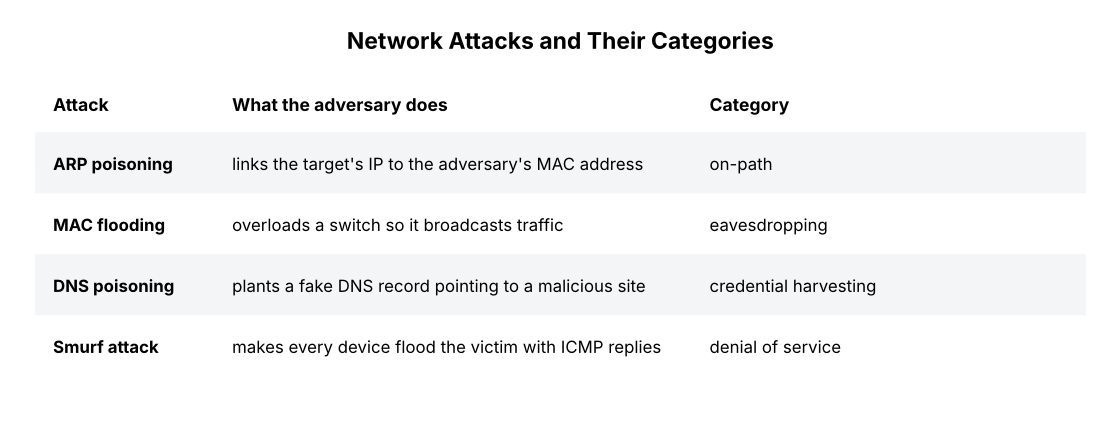
| ARP poisoning | Unusual ARP messages, especially duplicate MAC address ARP packets; check the gateway’s ARP table |
| MAC flooding | A sudden surge of Ethernet frames with many different MAC addresses; check the switch’s MAC address table |
| DNS poisoning | Hard to detect; an abrupt, unexplained drop in website traffic is a reason to examine DNS records |
| Smurf attack | A sudden increase in ICMP requests sent to the broadcast address |
General network IoCs, often found in packet capture files, include connections to known malicious IP addresses, unauthorized network scans, unusual spikes or slowdowns in traffic, and mismatched port-application traffic, such as web traffic on a port normally used for something else.
Worked Example: Picking a Method
- A busy online retailer with huge traffic volume and a tight budget: signature-based, because it is fast, cheap, and has almost no false positives.
- A small research lab with very consistent traffic that fears brand-new attacks but cannot afford hybrid: anomaly-based, since signatures cannot catch novel attacks.
- A hospital’s patient records network, highly sensitive: hybrid, accepting higher cost and more alerts for the strongest coverage.
Why does this matter? There is no single best method. The right choice depends on traffic volume, consistency, sensitivity, likelihood of novel attacks, and budget, and exam questions are built around exactly those trade-offs.
Test-Taking Strategies
Mnemonic Devices and Memory Shortcuts
“Signature = known and fast; Anomaly = new and noisy; Hybrid = both and pricey.” Tools: “IDS tells, IPS stops, SIEM connects.”
Cross-Topic Connections
- Topic 3.1: Network Vulnerabilities and Attacks defines the attacks these indicators reveal.
- Topic 1.3: Best Practices for Public Networks introduces evil twin and jamming attacks.
- Topic 1.5: Leveraging AI in Cyber Defense explains how AI sorts and responds to events.
- Topic 3.4: Protecting Networks: Firewalls covers the firewall logs these tools analyze.
Common Question Formats
- A network profile asking which detection method fits best.
- A log excerpt asking which attack it indicates.
- A threshold change asking how it affects false positives and false negatives.
Frequent Student Mistakes
- Thinking a NIDS blocks attacks. It only alerts; a NIPS can block.
- Saying signature-based detection catches new attacks. It cannot.
- Recording a baseline on a system that may already be compromised.
Test-Day Shortcuts
Spot the protocol in the log: ARP points to ARP poisoning, ICMP to a broadcast address points to a smurf attack, and floods of new MAC addresses point to MAC flooding.
Time Management Tips
The AP Cybersecurity Exam on May 5, 2027, is fully digital in Bluebook. Log analysis appears in both sections, including the 50-minute Device Security Analysis question. When given a log, cite the exact line as evidence, since the question expects you to support claims with the provided sources.
Check for Understanding
Think you’ve got it? Complete the quiz below to make sure. Download your results at the end.