
Maximize your score with these resources:
A network is only as secure as its weakest router, switch, or wireless access point. If one router still allows an old, unencrypted login service, or one access point still uses outdated encryption, an adversary only needs to find that one gap. Organizations close those gaps with two tools: written policies that set a minimum standard for every device, and careful configuration of wireless networks. Topic 3.2 covers both.
This article covers Topic 3.2: Protecting Networks: Managerial Controls and Wireless Security in Unit 3, Securing Networks. The topic asks you to identify managerial controls related to network security and configure wireless network security features.
By the end, you should be able to:
- Describe what router, switch, VPN, and wireless security policies typically require.
- Explain why local accounts, unnecessary services, and split tunneling create risk.
- Configure wireless security: beacon frames, signal reach, encryption, and MAC filtering.
- Rank wireless encryption protocols from insecure to strongest.
Four Network Security Policies
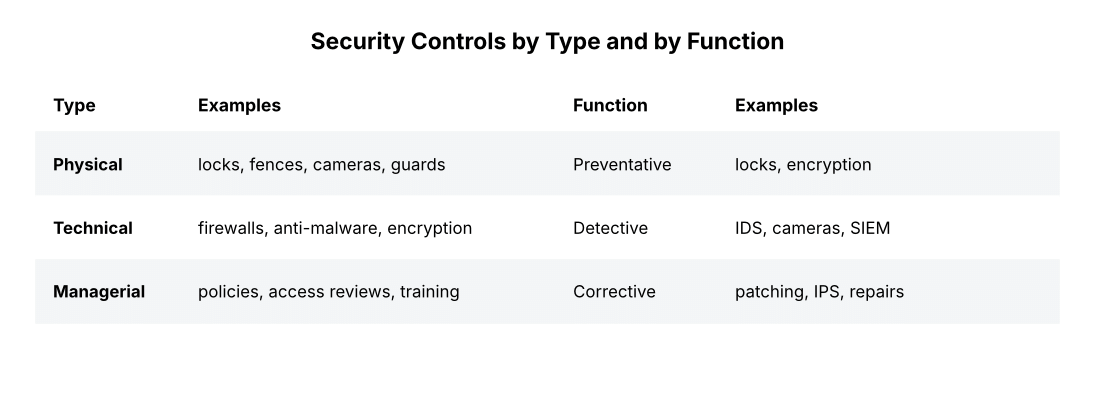
These are managerial controls: written standards every device or user must meet. A policy does not configure anything by itself. Its value is consistency: when a new router or switch is installed, the policy tells the technician exactly which settings are required, so no device is left with risky defaults.
| Policy | Typical requirements |
|---|---|
| Router security policy | Ban local user accounts (logins go through an approved authentication server); disable unnecessary services such as Telnet; require a firewall (possibly a separate device) |
| Switch security policy | Ban local user accounts; require port security; use MAC filtering |
| VPN policy | List which roles may use the VPN; set authentication requirements such as public/private keys or MFA; prohibit split tunneling |
| Wireless security policy | Require authentication through an extensible authentication protocol (EAP) tied to an approved server; encrypt all wireless traffic with AES at a minimum key length; disable beacon frames |
Why these rules?
- Central authentication instead of local accounts means one place to manage, monitor, and revoke logins, rather than separate passwords on every device.
- Disabling unnecessary services removes openings. Telnet, for example, sends data unencrypted.
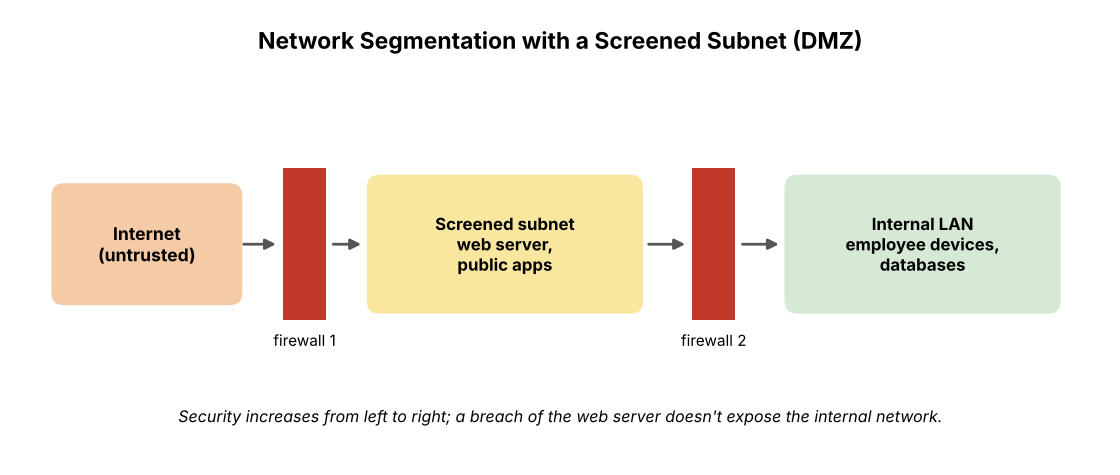
- Port security limits how many addresses a switch port accepts, which helps block MAC flooding from Topic 3.1.
- Split tunneling (or dual tunneling) lets some of a user’s traffic skip the VPN. Prohibiting it keeps all traffic under the organization’s protection.
Configuring Wireless Security
| Feature | How it helps |
|---|---|
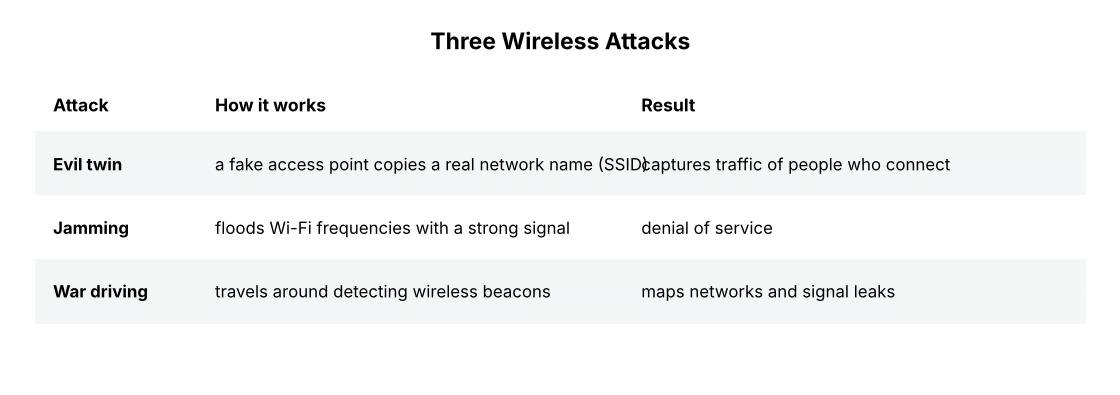
| Disable beacon frames | Makes the network harder to find and hides its basic properties, which counters war driving |
| Control signal direction and strength | Keeps the signal inside the intended physical space |
| Use strong encryption | Intercepted wireless frames cannot be read |
| MAC filtering and user authentication | Blocks unauthorized devices and users from joining |
Wireless encryption protocols:
| Protocol | Status |
|---|---|
| WEP | Known vulnerabilities; insecure |
| WPS | A device-pairing (setup) feature, not encryption; known PIN brute-force weakness; insecure |
| Original WPA | Known vulnerabilities; insecure |
| WPA2 | Stronger than original WPA and still widely used, but weaker than WPA3 |
| WPA3 | Currently the strongest wireless encryption |
Worked Example: Securing a Shelter Network
After a storm, a high school gym becomes an emergency shelter, and you must set up Wi-Fi for residents. A first draft of the setup has four problems:
- Problem: The access point uses WEP. Fix: Switch to WPA3.
- Problem: The signal reaches the parking lot. Fix: Lower signal strength and aim the access point toward the gym interior.
- Problem: The router’s admin login is a local account with a default password. Fix: Use central authentication, per the router policy.
- Problem: Anyone nearby can join. Fix: Require user authentication, with credentials handed out at the shelter’s check-in desk.
Trade-off to note: Disabling the beacon frame makes the network harder to find, but residents would then need to type the network name manually. In a shelter, posting the name at check-in may be the better balance. Security choices always weigh protection against usability.
Why does this matter? Policies set the standard and configuration enforces it. Each choice here maps back to an attack from Topic 3.1: WPA3 counters eavesdropping, signal control counters war driving, and authentication blocks rogue devices.
Test-Taking Strategies
Mnemonic Devices and Memory Shortcuts
Wireless hardening: “Hide, Shrink, Scramble, Screen”: hide beacons, shrink signal reach, scramble with WPA3, screen devices with MAC filtering and authentication. Encryption: “WEP, WPS, WPA = weak; WPA3 = best.”
Cross-Topic Connections
- Topic 3.1: Network Vulnerabilities and Attacks describes the attacks these policies prevent.
- Topic 1.3: Best Practices for Public Networks introduces war driving, evil twins, and VPNs.
- Topic 2.1: Cyber Foundations defines managerial and technical controls.
- Topic 1.2: Suspicious Website Logins covers MFA, which VPN policies may require.
Common Question Formats
- A policy requirement asking which device policy it belongs to.
- A wireless setup asking which change most improves security.
- A list of protocols asking which is strongest.
Frequent Student Mistakes
- Calling WPA secure. The original WPA has known vulnerabilities; WPA3 is the standard to recommend.
- Thinking split tunneling improves security. It lets traffic bypass the VPN.
- Forgetting that signal strength is a security setting.
Test-Day Shortcuts
If an answer choice says “enable WPA3,” “disable Telnet,” or “enable port security,” it is usually a strong choice. Choices that keep defaults or local accounts are usually wrong.
Time Management Tips
The AP Cybersecurity Exam on May 5, 2027, is fully digital in Bluebook. The Device Security Analysis free-response question may include security policies, so practice comparing a device’s settings against a policy line by line.
Check for Understanding
Think you’ve got it? Complete the quiz below to make sure. Download your results at the end.